Free SSL Certificate for 1 Year: Is It Possible in 2027? (Full Truth)
Why Don't Free SSL Providers Issue 1-Year Certificates Anymore?
Many website owners search for a free SSL certificate 1 year hoping to install it once and forget about it for 12 months. In reality, the CA/Browser Forum—the governing body behind Chrome, Safari, Firefox, and Edge—capped all public SSL/TLS certificates at 398 days in 2020 and is actively phasing lifetimes down even further toward 200 days and 47 days to minimize the risk of compromised private keys.
Because automated validation is fast and free, trusted non-profit authorities like Let's Encrypt standardized on a 90-day validity window. A 90-day certificate uses the exact same 256-bit encryption and browser padlock trust as an expensive $70/year commercial certificate—only the renewal cadence differs.
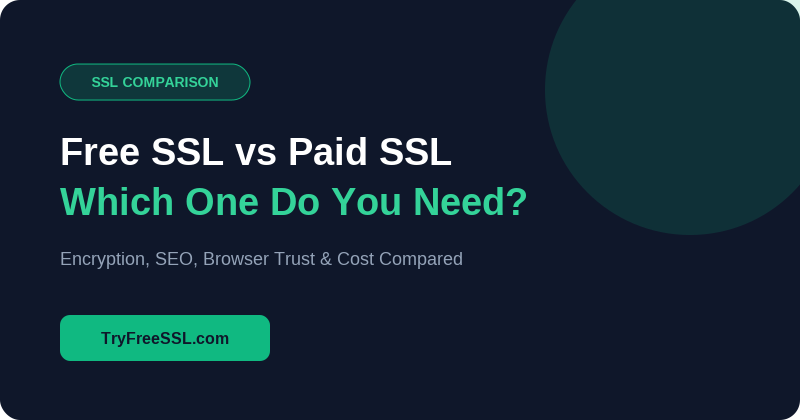
1-Year Paid SSL vs. Free 90-Day Unlimited SSL Compared
| Feature | TryFreeSSL (Let's Encrypt) | Paid 1-Year SSL (Comodo / GoDaddy) | ZeroSSL Free Plan |
|---|---|---|---|
| Cost for 1 Full Year | $0 Free Forever | $10 – $99 / year | $0 (capped at 3 certs) |
| Certificate Validity | 90 Days (Unlimited Free Renewals) | 365–397 Days | 90 Days |
| Browser Trust & Encryption | 99.9%+ Browsers (TLS 1.3 / 256-bit) | 99.9%+ Browsers (TLS 1.3 / 256-bit) | 99.9%+ Browsers |
| Wildcard (*.domain.com) | Yes (Free via DNS-01) | $70 – $250 / year | Paid Plan Only |
| Expiry Reminders | Free 7-Day Email Alerts | Billing Renewal Emails | Dashboard Only |
Beware of "Free 1-Year SSL" Tricks
If a hosting company or vendor advertises a "free 1-year SSL certificate," check the fine print carefully. Often it is either:
- A 1st-year promotional bundle that auto-renews at $49–$99 in year two (common on legacy hosts—see our GoDaddy Free SSL Guide).
- A 90-day certificate with auto-renewal marketed as "1 year" while locking you into a specific host.
- A 30-to-90-day trial that expires unless you upgrade to a paid plan (like ZeroSSL's 3-certificate cap).
How to Get Year-Round Free SSL Protection in 3 Minutes
- Generate Your Certificate: Visit TryFreeSSL.com, enter your domain (e.g.,
yourdomain.comandwww.yourdomain.com), and choose HTTP-01 or DNS-01 verification. - Download & Install: Download your
certificate.crt,private.key, andca_bundle.crtand install them in cPanel, hPanel, or Nginx/Apache. - Enable 7-Day Expiry Alerts: Enter your email during issuance so we remind you 7 days before day 90—renewing takes under 60 seconds and costs $0 forever.
- Verify Your Live Chain: Confirm everything is green on our Live SSL Checker and HTTPS 301 Redirect Generator.
Frequently Asked Questions
Does Google prefer a 1-year paid SSL over a 90-day free SSL? No. Google Search treats every valid TLS certificate identically as long as the chain is complete and HTTPS redirects cleanly.
Can I renew my TryFreeSSL certificate 4 times a year for free? Yes! There is no limit on renewals—you can issue and renew unlimited certificates every 90 days at zero cost.
What if I need a PFX file for Windows IIS? Use our PEM to PFX Converter right after downloading your certificate.
✅ Post-Installation Verification & SEO Checklist
After applying the steps above, run through this 5-point checklist to prevent browser warnings and protect your Google SEO rankings:
- Verify full CA chain trust and TLS 1.3 support using our Live SSL Checker.
- Scan for Mixed Content HTTP links and check HSTS/CSP headers on Security Headers Checker.
- Enforce a permanent 301 HTTP-to-HTTPS redirect with our HTTPS Redirect Generator.
- Confirm both root and
wwwversions resolve cleanly to one canonical HTTPS URL. - Verify your HTTPS property and
sitemap.xmlinside Google Search Console and Bing Webmaster Tools.